
Your catalogue explained
Your store comes with 12,000+ digital products, already sorted, described and priced. Here's what's in the catalogue and how it's organised.
Your store is filled with 12,000+ resellable digital products: over 1 TB of files, ready to sell from day one. They're the same catalogue that idplr.com sells. You don't have to find, write or upload anything to get started.
What kinds of products
Every product has a category: the type of product it is.
| Category | Products |
|---|---|
| eBooks & Reports | 7,333 |
| Videos, Tutorials & Courses | 2,425 |
| Templates & Themes | 982 |
| Software & Scripts | 965 |
| WordPress | 890 |
| Articles, Newsletters & Blog Posts | 603 |
| Graphics & Designs | 382 |
| Audio & Music | 252 |
Some products belong to more than one category, so the numbers add up to more than the total.
What topics
Every product also has one or more niches: the topic it covers. There are about 21, including:
- Marketing & Promotion
- Business & Making Money
- Psychology & Self Help
- Social Medias & Networking
- Tutorials & Trainings
- Health & Diseases
- Web Development & Programming
- Diet & Cooking, Fitness & Training, Weight Loss & Metabolism
- Lifestyle & Travel, Hobbies & Free Time, Home & Garden
- Parenting & Family, Dating & Relationships, Pets & Animals
- …and more
Categories and niches are what your Listing pages explained are built from, and what customers filter by when they search.
What rights come with each product
Each product comes with a license that says what your customers may do with it. The three main types:
| Type | Your customer can… |
|---|---|
| PLR (Private Label Rights) | edit it, put their name on it and sell it |
| MRR (Master Resale Rights) | sell it, and pass on the right to resell it |
| RR (Resale Rights) | sell it, but not pass on resale rights |
Behind these, each product has its own list of YES/NO terms, such as "Can be given away for free" or "Can be translated to other languages". That list goes into the license file in every download. See Product terms.
Resale rights, not ownership
You can change titles, descriptions, covers, web addresses, categories and prices. You can't change the license terms of the included products. See Store rules: resale rights and minimum prices.
What every product already has
- a title, a long description and a short description
- a cover image, and often more pictures
- its category, niches and terms
- a price in credits
- a preview where possible (the first pages of an eBook, the first seconds of a video)
- an extracted sales page, if the product came with one
Find the products in your dashboard
- Log in to the MemberShops dashboard (
plr.pub). - Click Products → All products.
- In Include products, choose:
- MemberShops for the products that came with your store
- Own for the products you've added yourself
- All for both
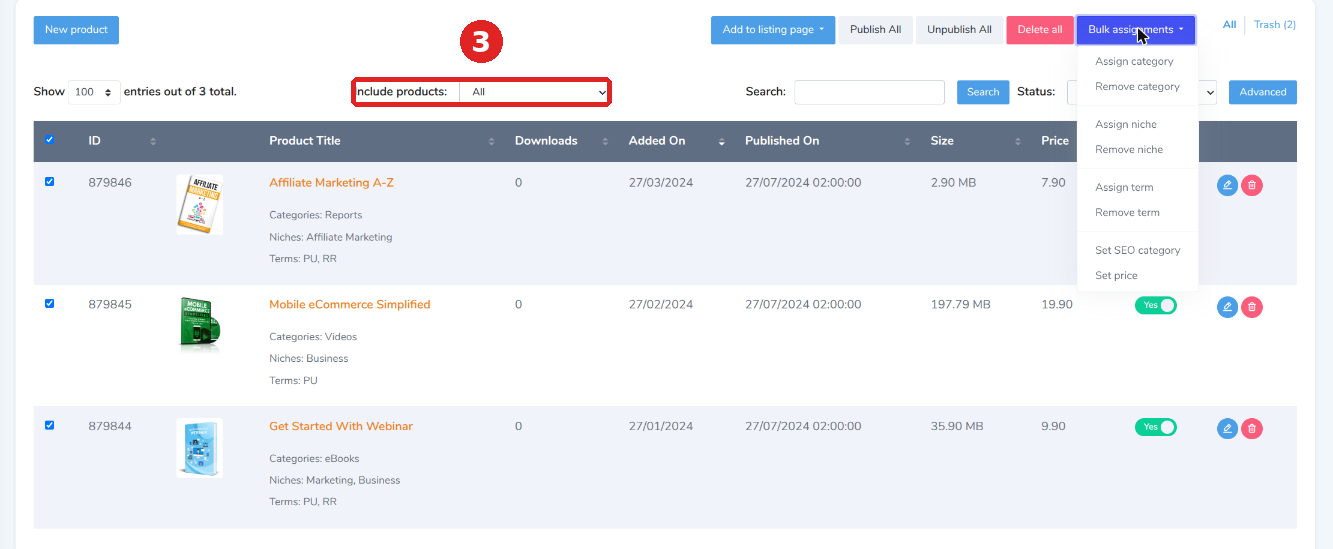
See Find, filter and bulk-edit products for searching and editing.
New products
Your store comes with every product available on the day you bought it. To get new products added automatically every month, see Upgrades.