
Sign-up pages, Buy Now links and the Pricing page
Where your customers choose a plan and pay: the Pricing page, the sign-up forms and the one-click Buy Now links. All are ready-made and linked together.
Your store comes with every page customers need to join and pay, already linked together. This article explains what each one is, so you can check them and change them if you want to.
How a customer joins
- They click Register in your store's header.
- That opens your Pricing page (
/pricing), which shows your plans side by side. - They click a plan's button. That's a Buy Now link, which takes them straight to sign-up and payment for that plan.
- After paying, they're back in your store with the plan active.
The Pricing page
| Address | What it is |
|---|---|
/pricing |
Your plans side by side, plus a free registration button |
It's a normal WordPress page, so you edit it with Divi like any other page: Pages → Pricing → Edit With Divi. See Edit your homepage and other pages.
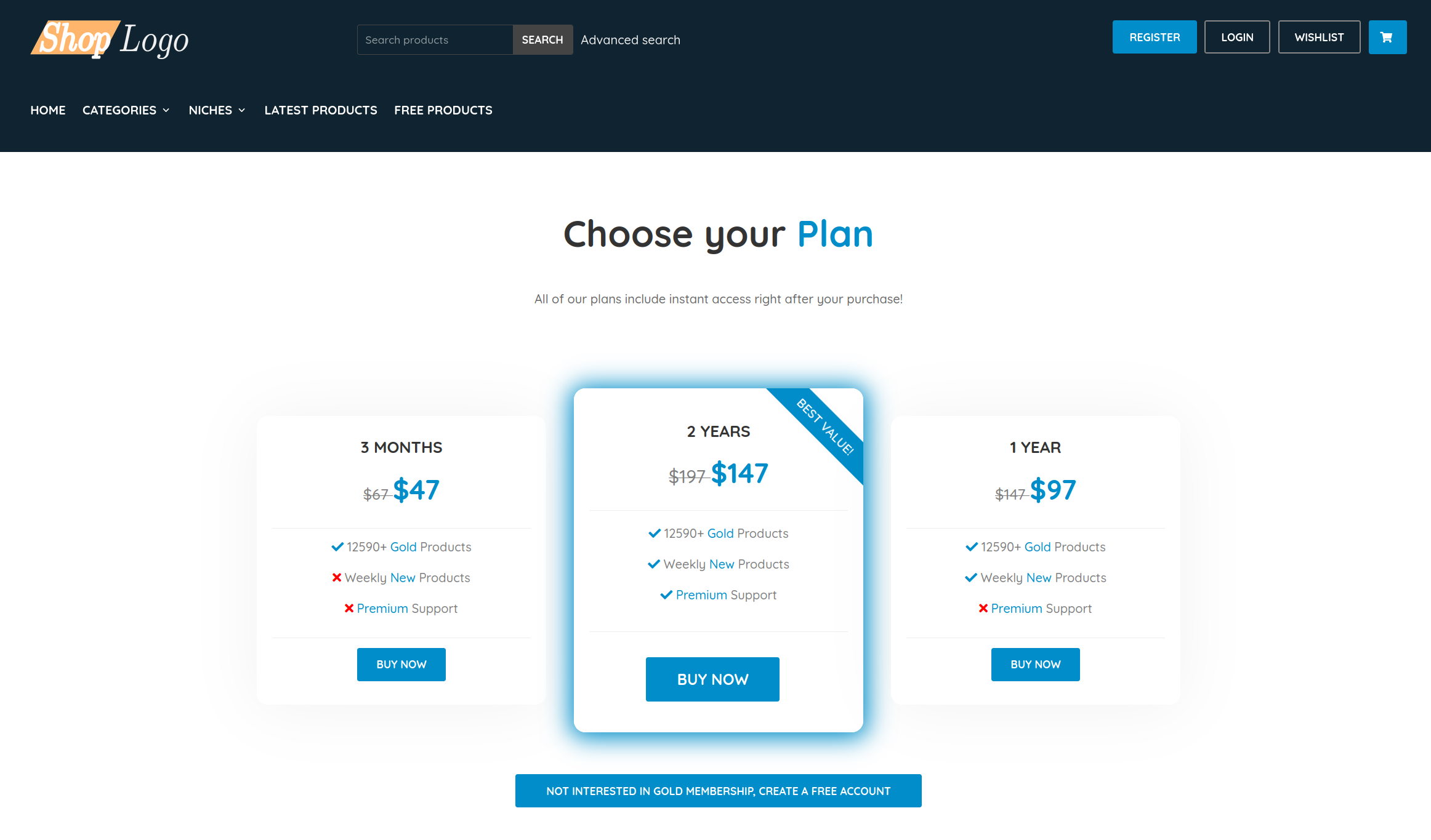
Each button on it points to a Buy Now link (below). If you change a plan's price in aMember, change the price shown on this page too: the Pricing page doesn't update by itself.
It shows the plans your store comes with, including the 2-year plan. If you switch off a plan in aMember (see Set up your membership plans and prices), remove its box from the Pricing page too, so customers don't click a plan they can't buy.
Buy Now links
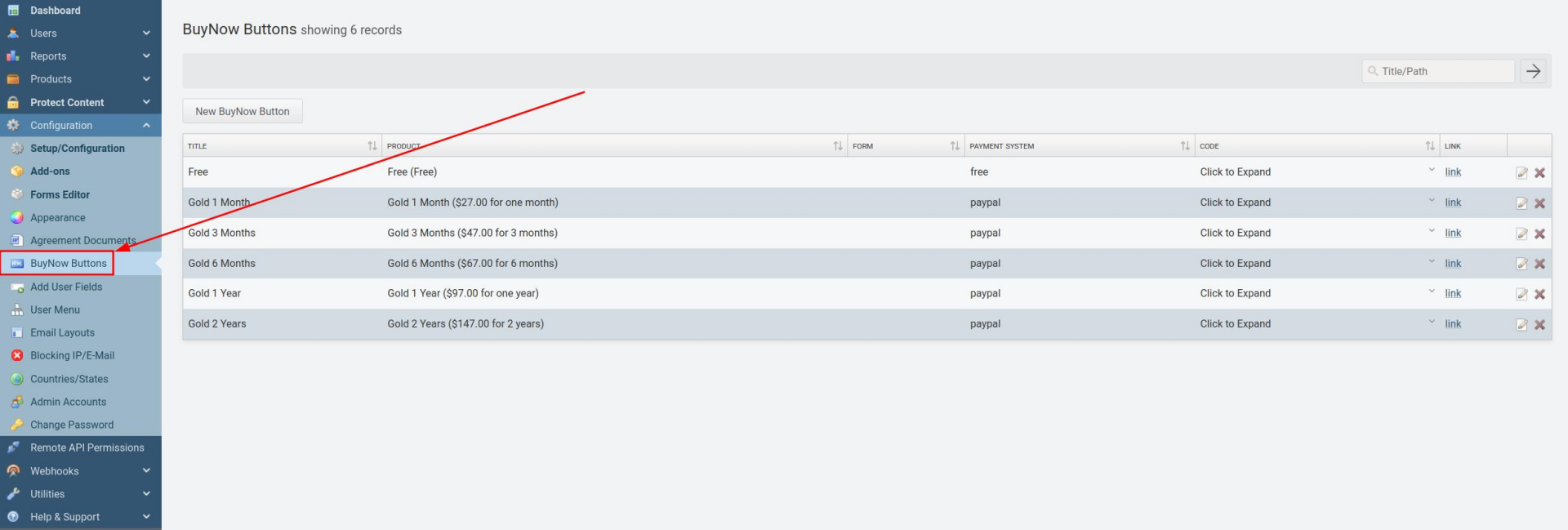
Each plan has a direct link that skips the plan list and goes straight to sign-up and payment for that plan. Use them on the Pricing page, in emails and anywhere else you promote a plan.
| Address | Plan |
|---|---|
/members/buy/free |
Free |
/members/buy/gold1month |
1 month |
/members/buy/gold3months |
3 months |
/members/buy/gold6months |
6 months |
/members/buy/gold1year |
1 year |
/members/buy/gold2years |
2 years |
Put your domain in front, for example https://myplrstore.com/members/buy/gold1month.
To see or change them: in aMember, click Configuration → BuyNow Buttons.
Sign-up forms
| Address | What it is |
|---|---|
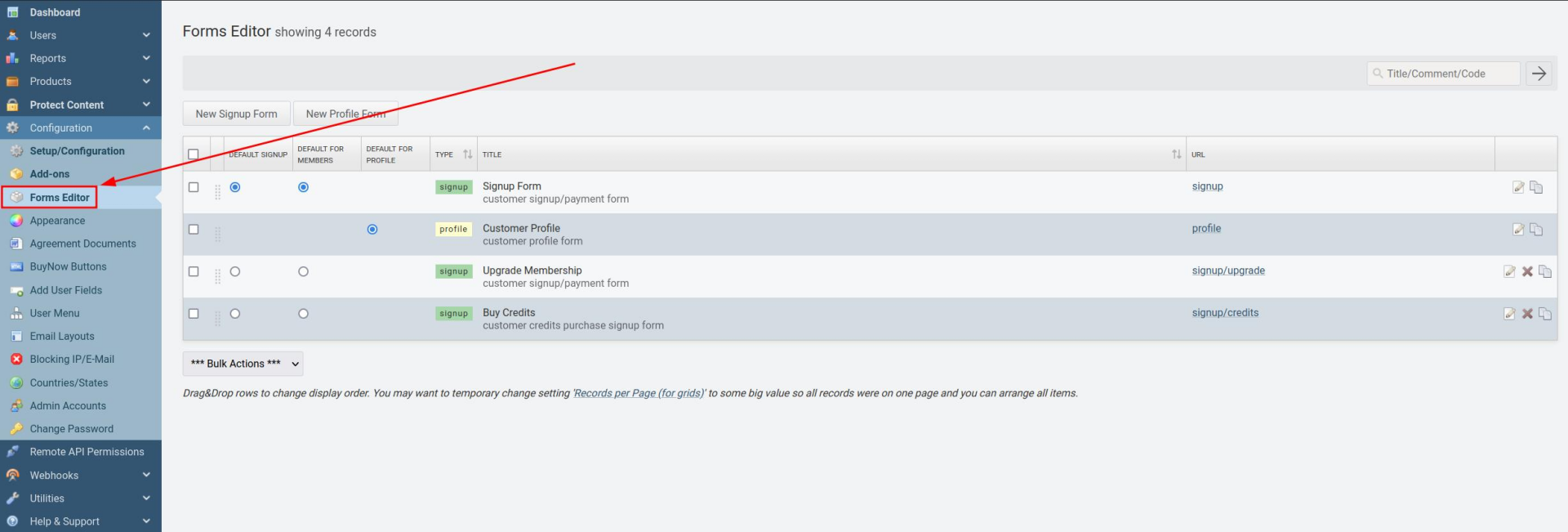
/members/signup |
All your plans, for customers who want to compare |
/members/signup/upgrade |
For existing members moving to a bigger plan. Same as above, without the Free plan. Shown in the member's account. |
/members/signup/credits |
For buying credit packs. See Credits and credit packs. |
To change a form's fields or plans: in aMember, click Configuration → Forms Editor.
Check it worked
In a private browser window:
- Open your store and click Register. The Pricing page should show your current plans and prices.
- Click each button. Each should open sign-up for the right plan, at the right price.