
Find and edit a customer
Look up a customer, see their details, and change their name, email, password or status. Customers are managed in aMember.
Always manage customers in aMember, never in WordPress
Your customers also appear in WordPress under Users, because aMember keeps the two in step. Editing or deleting them in WordPress breaks that link. Make every change in aMember.
Find a customer
- Log in to aMember (
your-domain.com/members/admin). - In the left menu, click Users → Browse Users.
- Type a name, username or email address in the search box and press Enter.
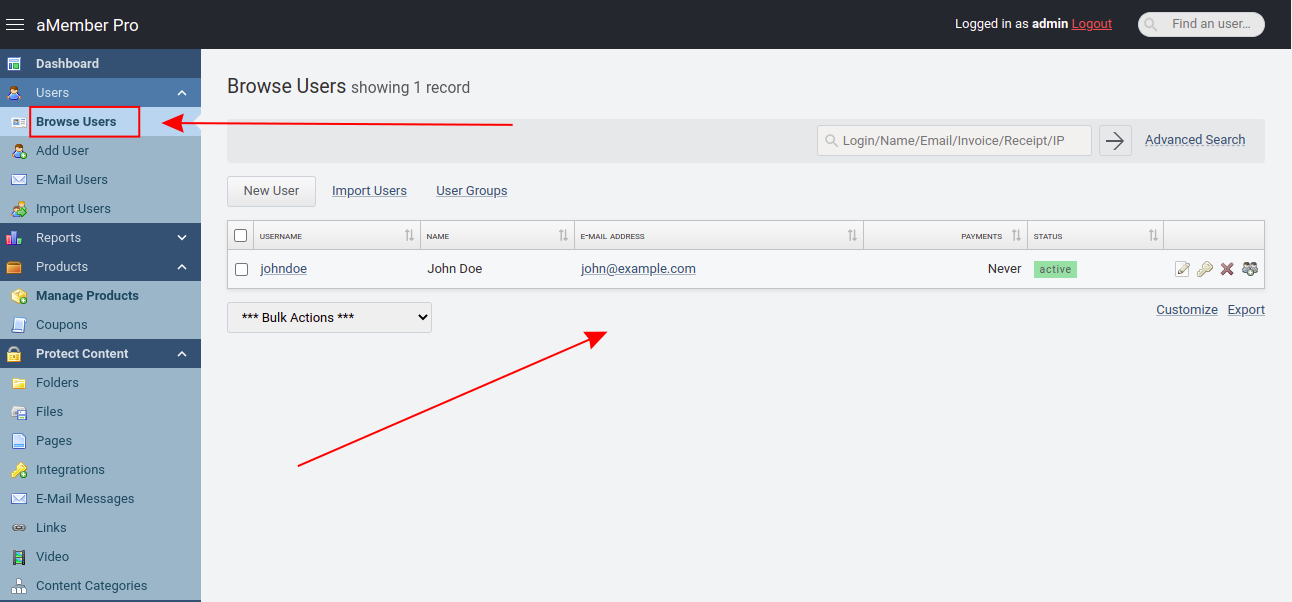
The list shows each customer's username, name, email and status.
See and edit their details
- Click the edit (pencil) icon at the end of the customer's row.
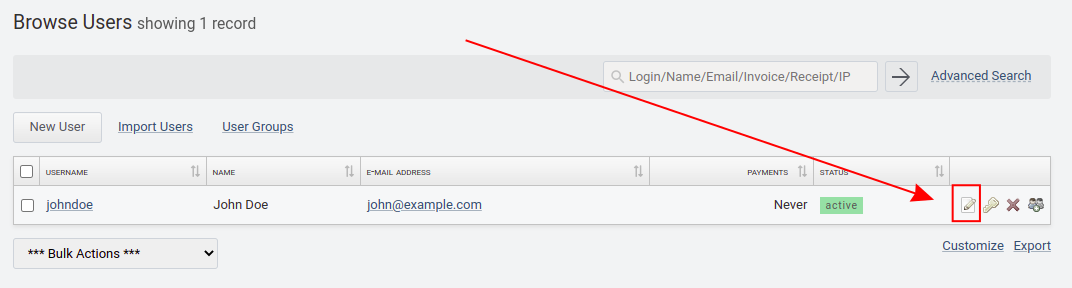
- The User Info tab shows their username, name, email address, and when and from where they signed up and last logged in.
- Change what you need:
- Name and E-Mail Address
- Password: type a new one to reset it for them (tell them, or ask them to use "Forgot password?" instead)
- Permanently Locked: lock an account to stop someone logging in, for example after a fraudulent payment
- Click Save at the bottom.
The other tabs
Across the top of a customer's page you'll find:
| Tab | What it shows |
|---|---|
| User Info | Their details (above) |
| Payments/Access | What they've paid, and which plans they have. See Give or remove access by hand. |
| Access Log | When they logged in |
| Credits | Their credit balance. See Add or remove a customer's credits. |
Helping a customer who can't log in
- Find them in Browse Users and check the email address is spelled correctly.
- Ask them to use Forgot password? on the login page, or set a new password for them on the User Info tab.
- Check the account isn't Permanently Locked.
- Check the spam folder: password emails sometimes land there.
Delete a customer
Only delete accounts that are fake or that the customer asked you to remove. In Browse Users, tick the customer, choose the delete action from the menu under the list, and confirm. Deleting removes their history, so for paying customers it's usually better to let their access expire.