
Give or remove access by hand
Give a customer a membership without payment (for example a gift, a partner or a replacement), or end someone's access straight away.
Open the customer's access
- In aMember (
your-domain.com/members/admin), go to Users → Browse Users and find the customer. See Find and edit a customer. - Click the edit icon, then Payments/Access → Invoices/Access.
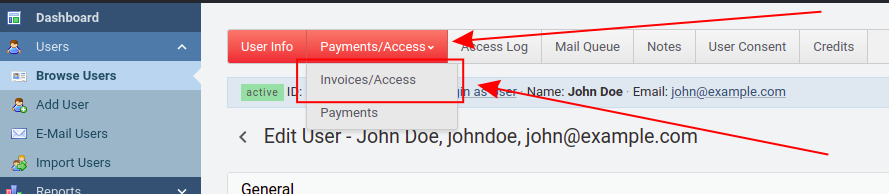
The User Access table shows each plan they have, from which date to which date.
Give access
- Under User Access, choose the plan in the drop-down menu.
- Check the start and end dates. The end date is filled in from the plan's length, and you can change it.
- Click Add Access Manually.
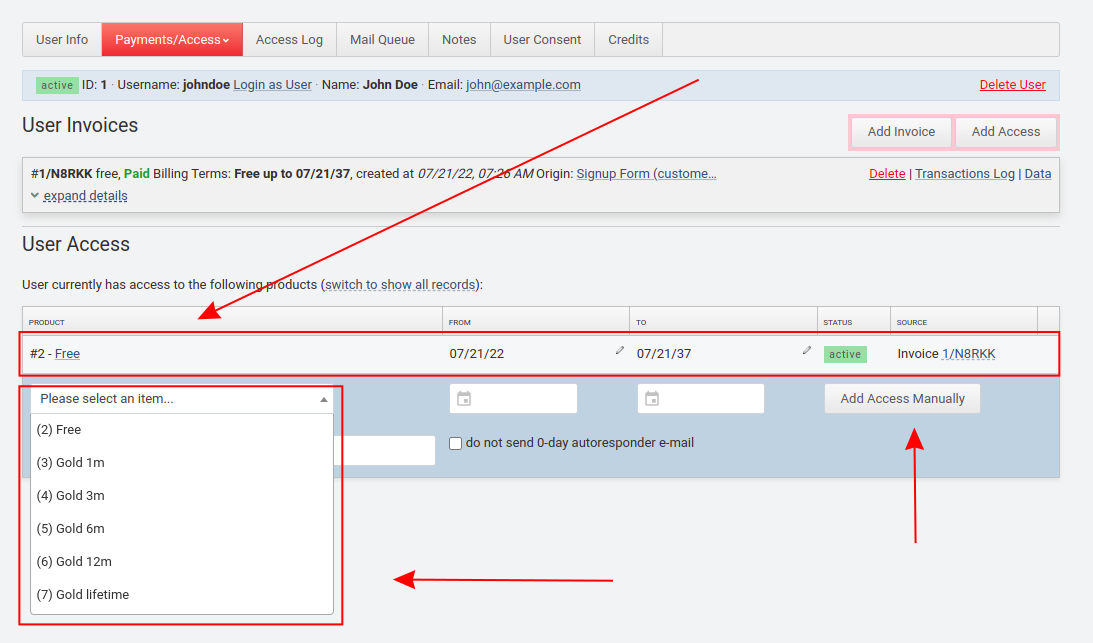
The customer can use the plan straight away. No payment is recorded.
When to give access by hand
- a prize or a gift
- a partner or reviewer
- a customer whose payment went through, but whose access didn't (fix the cause too: see Connect PayPal or Connect Stripe)
Remove access
- In the User Access table, click the To date of the plan.
- Choose yesterday's date and save.
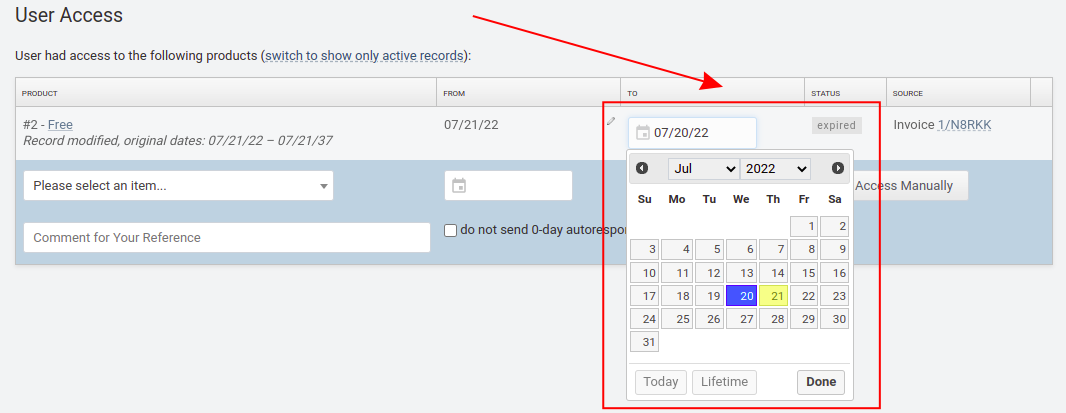
The plan ends at once and the customer loses access to it.
Stop the payments too
Changing the end date doesn't cancel a recurring payment. If the customer pays by subscription and should stop paying, cancel the subscription as well: in their Payments/Access, or directly in your PayPal or Stripe account.
Check it worked
Open the customer's User Access table again. A plan you added shows today's start date; a plan you removed shows yesterday as its end date.