
Global settings
The main settings of your MemberShops dashboard: time zone, the New badge, the shopping cart, comments, image sizes and the AI tools.
Open them in the dashboard (plr.pub): Settings → Global settings. There are five tabs.
Basic settings
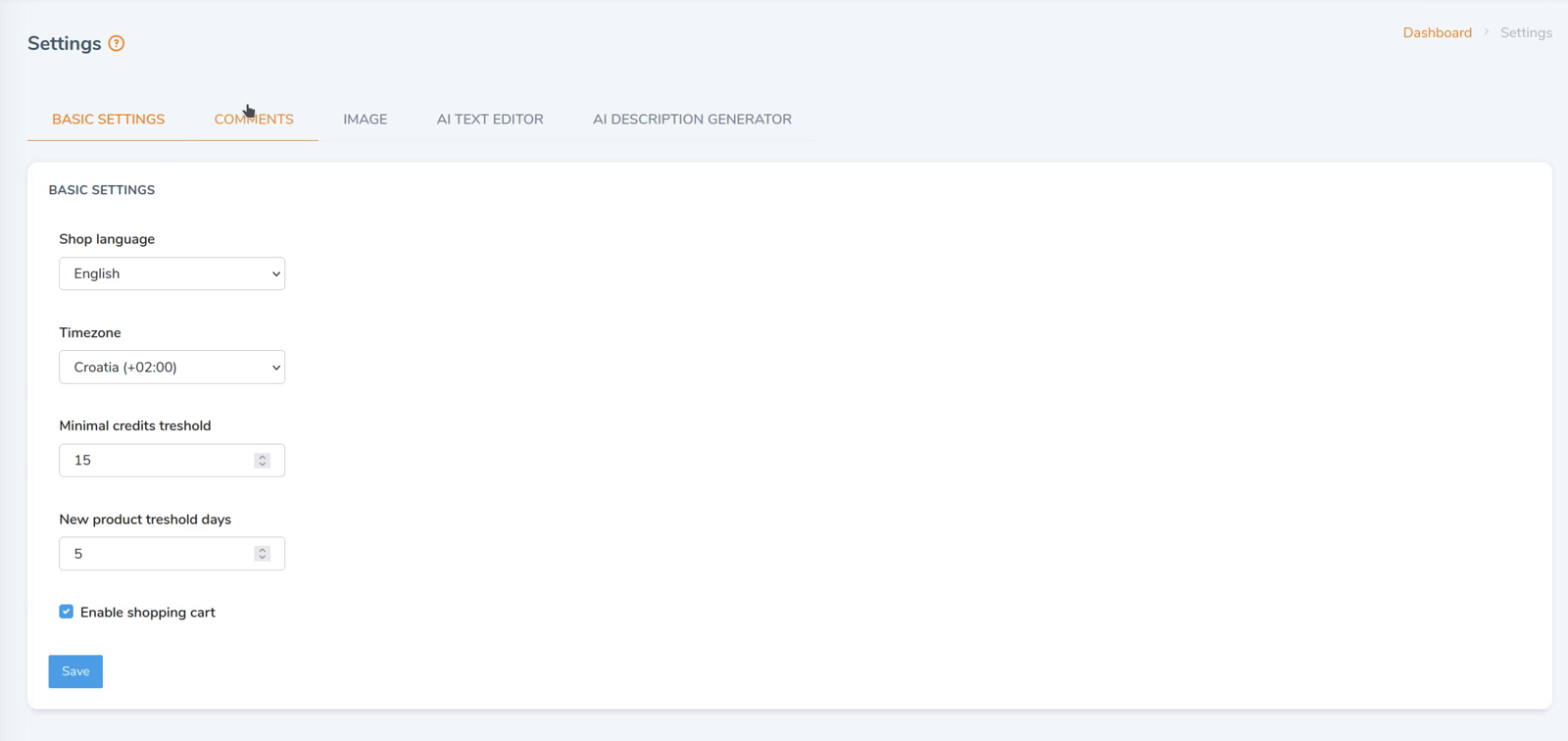
| Setting | What it does |
|---|---|
| Shop language | The language of your store's built-in texts. Leave it on English. |
| Timezone | The time zone for all dates and times, such as release dates and statistics. Set it to where you are. |
| New product treshold days | How many days a product shows the New badge after it's published. See Featured, New and Sale tags. |
| Enable shopping cart | Lets customers buy single products with credits. Untick it to sell memberships only. See Ways to sell. |
Click Save after any change.
Comments
Who can leave and see comments on products, and whether you approve them first. See Comments and ratings.
Image
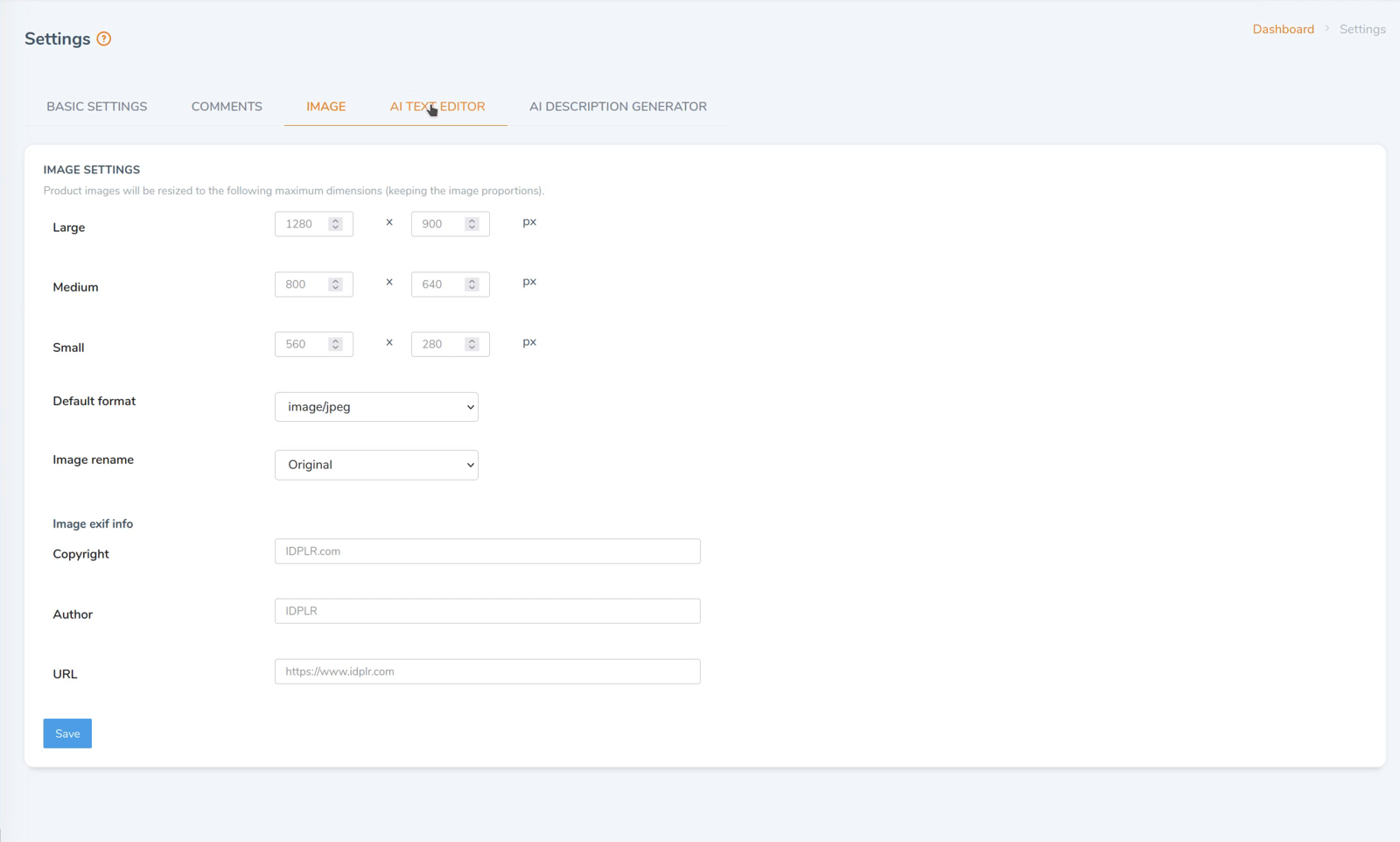
| Setting | What it does |
|---|---|
| Large, Medium, Small | The largest size product images are shown at. Images are resized to fit, keeping their shape. |
| Default format | The file type images are saved as, for example JPEG |
| Image rename | Whether uploaded images keep their original file names |
| Image exif info | Copyright, Author and URL saved inside your images. Put your own store name and address here. |
Put your name in your images
Change Copyright, Author and URL to your own store's details, so images that get shared carry your name.
AI Text Editor and AI Description Generator
The model and instructions the AI tools use. The ready-made settings work well. See AI tools.