
Sidebars and widgets
Show lists of products, offers or any other content in a sidebar, or inside your product pages, using WordPress widgets.
Widgets are small blocks of content, such as "Latest products" or a banner for a sale, that you create once in WordPress and show in one or more places.
1. Create the widget
- In the dashboard (
plr.pub), open Listings → All listings and copy the shortcode of the listing you want to show, for example Latest products. For a short list, use the second shortcode,[membershops-products-widget … products-count="10"], and change the number. - In WordPress (
your-domain.com/wp-admin), open Appearance → Widgets. - Add a Custom HTML widget to the Sidebar widget area and paste the shortcode into it.
- Choose who can see it: everyone, logged-in customers only, a certain plan, or only on certain pages.
- Click Save at the top right.
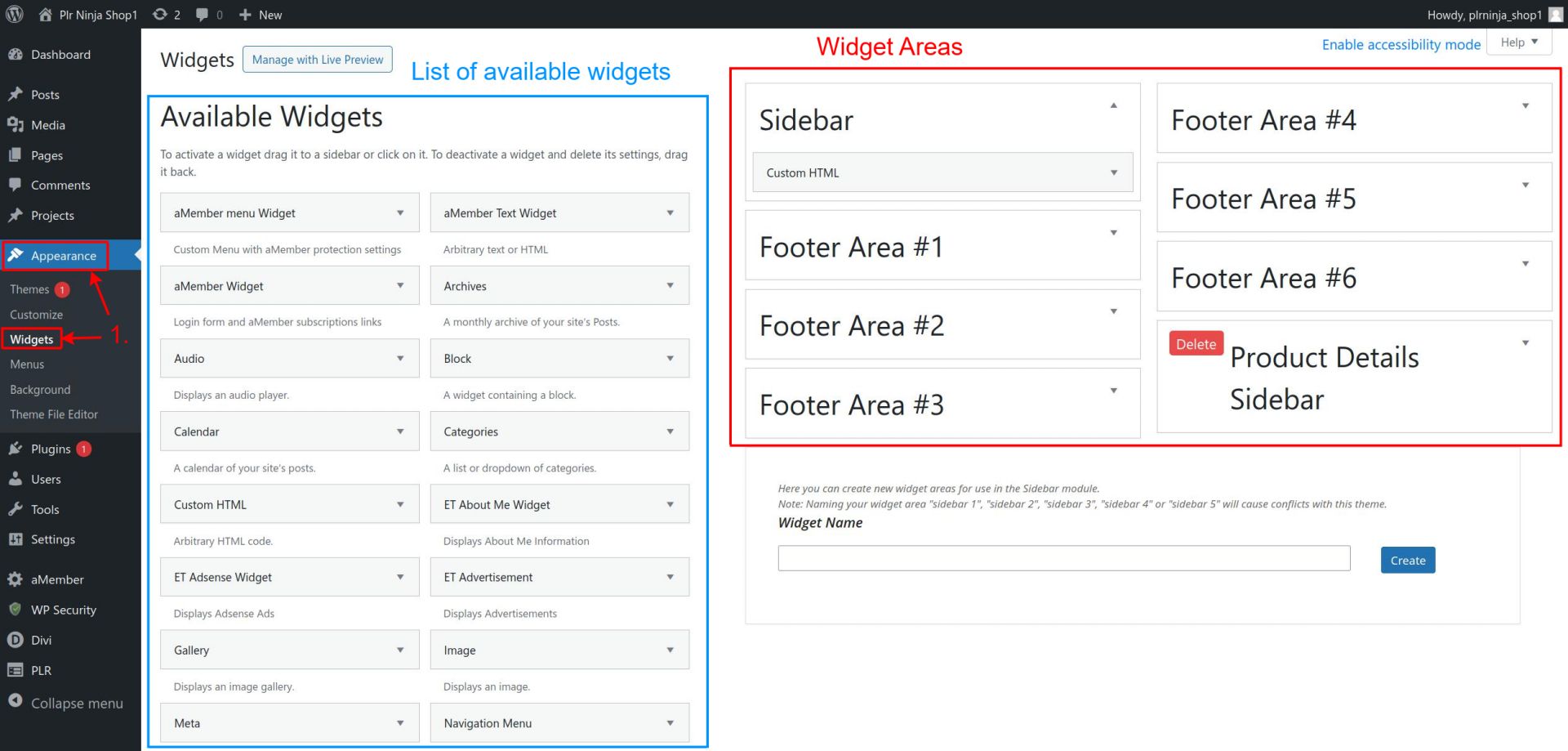
2a. Show it in a sidebar
Some store designs already have a sidebar. If yours doesn't, or you want one on product pages:
- In WordPress, open Divi → Theme Builder and click the pencil next to the body layout you want, for example All Products (product pages) or All Listings (listing pages).
- Open the Layers panel (second icon in the toolbar on the left) to see the rows and columns. The row has a wide column for the content and a narrow one for the sidebar.
- In the narrow column, add a new module, type
sidebarand choose Sidebar. - In its settings, choose the Sidebar widget area (or your own).
- Save.
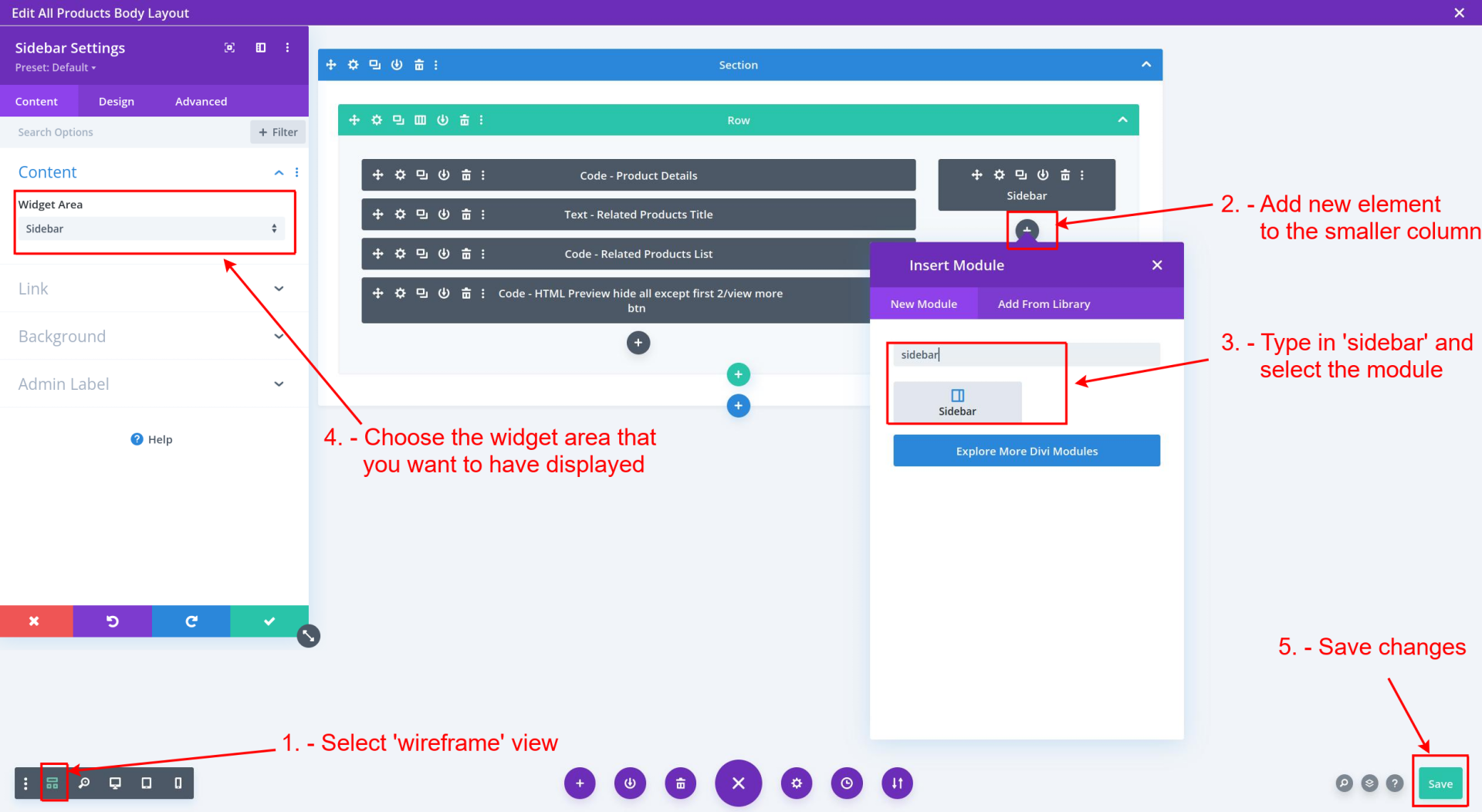
2b. Show it inside product pages
To put a widget area anywhere in a product page, for example under the image:
- In Appearance → Widgets, add a new widget area and note its number: the first one you create is 1, the next 2, and so on. Add your widget to it.
- In the dashboard, open Settings → Layout, the Product details area, then Edit code.
- Paste this where you want it, with your widget area's number in place of
1:
<x-dynamic-sidebar widget-area-name="et_pb_widget_area_1" />
- Save, and open a product page to check.
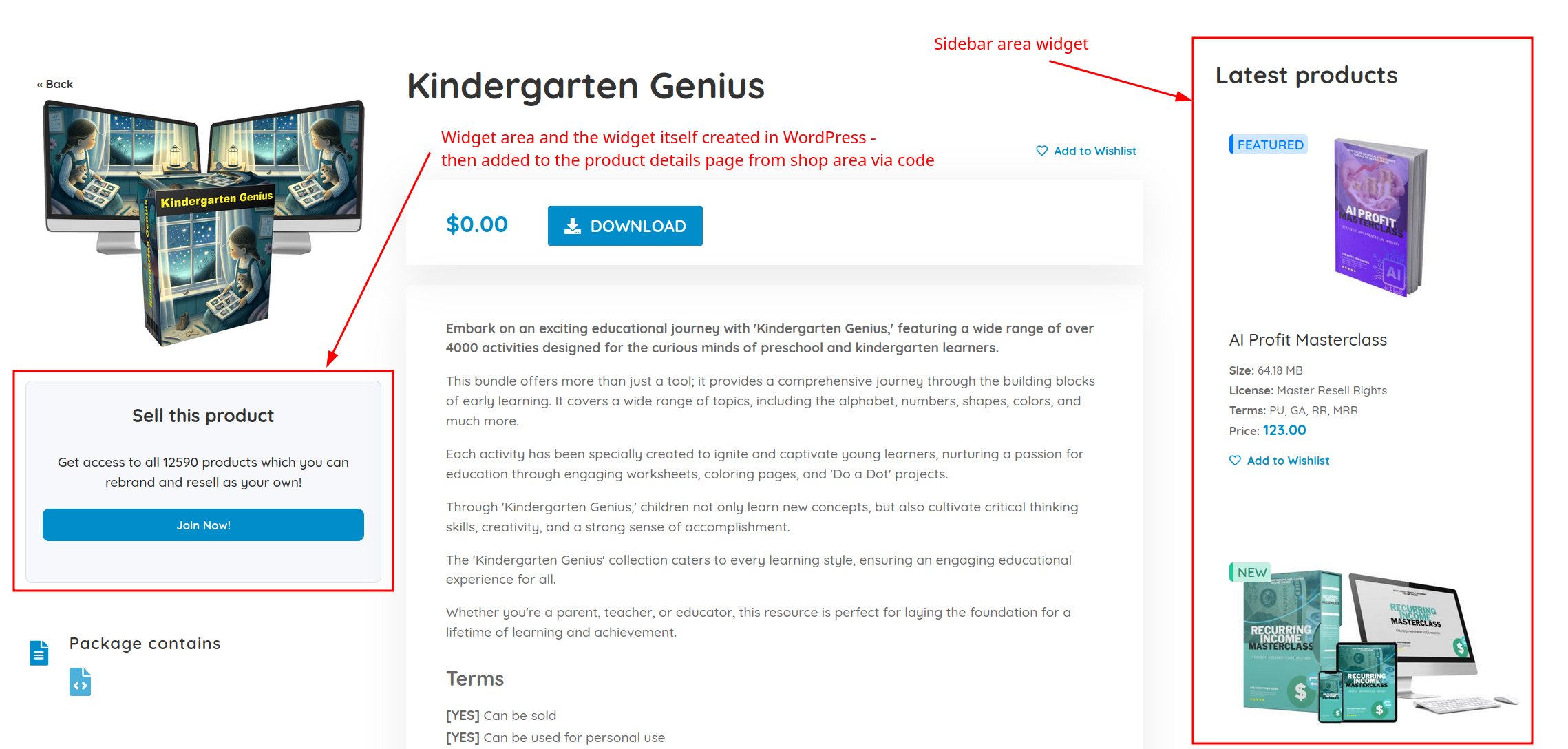
Ideas
- Latest or featured products next to every product
- A banner for your current offer, shown only to free members
- A link to your best-selling plan